The latest HM7000 update allows model railway operators to control several HM7000-compliant locomotives at once, making this a very exciting development that will ensure hours of hobby fun.
Our latest innovation has several benefits, including:
· The ability to control up to eight locomotives at once
· The ability to switch between global and independent function control
· A touch-sensitive throttle side bar for faster responses
· The ability to reverse locomotives independently.
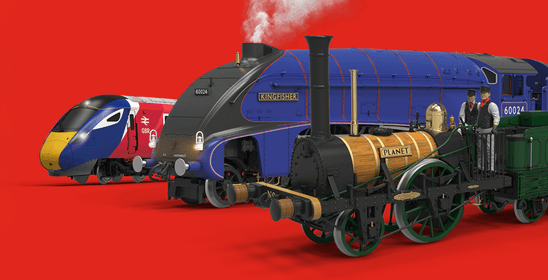
It can be used on all models with a HM7000 decoder, including some of your favourite models like the Class 43 HST, Class 755 FLIRT, Class 800 and Class 91 and Mk4 DVT.

If you are already a HM|DCC user, you will simply need to update your app in the App Store to include the Consisting feature. If you are new to the hobby, you’ll need to make sure you are set up for HM7000 control. If you are unsure what that is, read our HM7000 article here.
When you re-open the app after updating, head to your Engine Shed, where you will find all your current locomotives. Click on the New Vehicle button and it will give you the Consist option. If you click on that, you will go to a screen that allows you to assign and unassign your locomotives from a consist. Please see section 8, Consisting of the HM | DCC – Text Tutorials found here:
Some points to remember:
Once you’ve got your first consist set-up, you can explore all the new features in the app. You can now either operate each locomotive's function independently like before, changing things like lighting and sound, or use global functions for all locomotives in your consist.
Even the display is customisable. Move the throttle bar to the left or the right of the screen and make it wider or narrower by navigating to Consist Control Customisation under General Settings - Customise Vertical UI Scale. The vertical throttle bar is now touch-sensitive, making interaction with your locomotives instantaneous.
One of the most interesting uses of the HM7000 Consisting feature is that you can switch between Bluetooth and DCC control, with the settings assigned to your decoder still applying, even when you are no longer in the app. This gives greater flexibility over your locomotive control and ensures you can enjoy your hobby, your way. You’ll know when your models are connected to Bluetooth, because the Bluetooth icon will illuminate next to the locomotive name.
This brief article only scratches the surface of what is achievable with Consisting. To find out more, watch our video below that explores the app in more depth or read the updated HM | DCC Text Tutorial found under HM DCC Guides within the HM7000 section on the Hornby website.
Happy Consisting!